GB WhatsApp Hide Online Status Complete Guide to Staying Invisible
Being constantly visible on WhatsApp can feel intrusive and exhausting. The pressure to respond immediately when you are online is something many users want to avoid. GB WhatsApp hide online status feature provides the perfect solution by letting you use WhatsApp without appearing online to others. This comprehensive guide explains everything about this powerful privacy tool.

Hiding your online status does not mean you cannot use WhatsApp. You can still read messages, send replies, view statuses, and do everything you normally would. The only difference is that other users will not see the green online indicator that shows you are actively using the app. This simple change can dramatically improve your messaging experience.
Why Hiding Online Status Matters
In todays connected world, being always online comes with expectations. When people see you online, they expect immediate responses. This creates pressure that can be stressful, especially if you are busy, in a meeting, or simply need some personal time. Hiding your online status removes this pressure and lets you use WhatsApp on your own terms.
There are also safety reasons to hide your online status. Showing that you are online can make you a target for scammers, marketers, and people with bad intentions. By appearing offline, you protect yourself from unwanted attention and reduce the risk of being contacted by strangers.
How Online Status Hiding Works
When you enable online status hiding in GB WhatsApp Pro, the app suppresses the signal that normally tells WhatsApp servers you are active. Other users will see you as offline even when you are actively using the app. The hiding is seamless and does not affect any other functionality.
The feature works in real time. As soon as you enable it, your online status changes from visible to hidden. Similarly, when you disable the feature, your online status becomes visible again immediately. This instant switching allows you to control your visibility dynamically based on your current needs.
Setting Up Online Status Hiding
The setup process is simple and takes only a few seconds. Open GB WhatsApp Pro, go to settings, navigate to the privacy section, and find the online status option. Toggle the hide online status feature on, and you are done. There is no need to restart the app or make any other changes.
For advanced users, GB WhatsApp Pro offers options to show your online status to specific contacts while hiding it from others. This selective hiding allows you to appear online for close friends and family while staying invisible to acquaintances, coworkers, and strangers.
Combining with Other Privacy Features
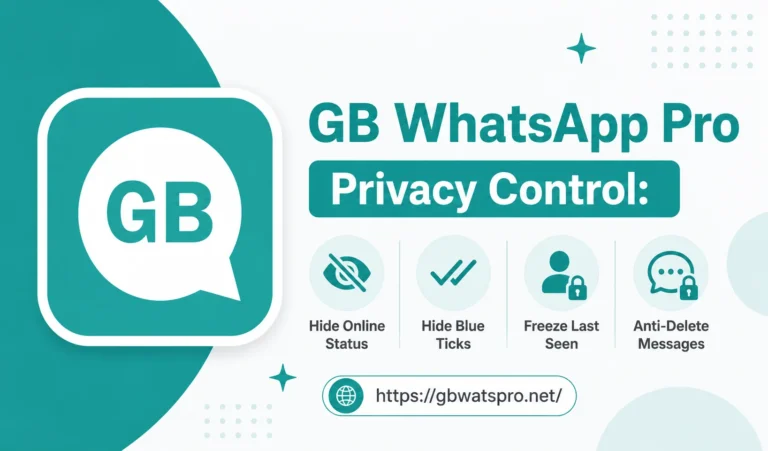
For maximum privacy, you can combine online status hiding with other features like hiding last seen, disabling read receipts, and turning off typing indicators. Together, these features create a complete stealth mode where your activity on WhatsApp is virtually invisible to others.
This combination is useful in many situations. If you are at work and want to check personal messages without your colleagues knowing, you can use this stealth setup. If you want to take a break from messaging without disconnecting completely, the combination gives you the freedom to do so.
Common Misconceptions
Some users worry that hiding online status will prevent them from seeing when others are online. This is not true. You can still see the online status of your contacts even when yours is hidden. The feature only affects how others see you, not how you see them.
Another misconception is that hiding online status affects message delivery. Messages are delivered normally regardless of your online status visibility. Whether you are online or offline, incoming and outgoing messages work exactly the same way. The only thing that changes is the online indicator that others can see.
FAQs
Will my contacts know I have hidden my online status?
No, there is no notification or alert sent to your contacts. They will simply see you as offline even when you are actively using the app.
Can I still see when my contacts are online?
Yes, hiding your online status does not affect your ability to see when others are online. You will still see their online indicators normally.
Does hiding online status also hide my last seen?
Not by default. You need to enable the hide last seen feature separately. However, you can enable both features for complete invisibility.
Can I hide online status for specific contacts only?
Yes, GB WhatsApp Pro allows selective hiding where you can show your online status to certain contacts while hiding it from others.
Will I miss messages if I hide my online status?
No, you will receive all messages normally. Hiding online status only affects your visibility indicator, not message delivery or reception.