New Update

GB WhatsApp Pro Download APK Original Updated Version 2026
Version: 18.80
Size: 110.0 MB
Download: 5M+
Android: 5.0+
Rating: 4.5
Update: Today
Security Verifications



| Specification | Details |
|---|---|
| App Name | GB WhatsApp Pro |
| Android Version | v18.80 |
| Total Downloads | 110,000,000/- |
| App Size | 110 MB |
| Last Updated | Today |
| Developer | Alex Mods |
| Main Purpose | Extra Features |
GB WhatsApp Pro is an unofficial modified version of WhatsApp developed for Android users who want more privacy controls, personalisation options, and messaging tools. It commonly offers features such as Ghost Mode, custom themes, anti-delete messages, message scheduling, auto-replies, and larger media-sharing limits.
However, you should understand one important point before downloading the app. GB WhatsApp APK is not developed, approved, or distributed by WhatsApp or Meta. Independent developers and third-party websites distribute different versions of the application. This means the version number, file size, developer name, available features, security level, and update frequency may differ from one website or build to another.
GBWatsPro.net helps users understand the application, its main features, installation process, possible risks, and common problems. This guide does not claim that the app is completely safe, official, or permanently protected against account restrictions. Also, try WhatsAppPlus.
What Is GB WhatsApp Pro?
WhatsApp GB Pro 2026 is a modified Android messaging application that provides many of the basic functions available in WhatsApp. You can use it to send messages, share photos and videos, make calls, create groups, and communicate with contacts. The main difference is that the modified application offers additional privacy, design, and messaging settings that are not normally available in the official app.
Depending on the installed version, users may be able to hide their online activity, download status updates, schedule messages, apply custom themes, send automatic replies, read deleted messages, and share larger media files. The word “Pro” does not always refer to one separate or officially recognised edition. Some developers use the names GB WhatsApp and GB WhatsApp Pro for similar applications. Other developers use the Pro name for a build containing additional privacy or customisation features.
Because there is no single official developer controlling all releases, users should check the package name, version number, developer information, update date, file size, and security details of the exact APK they plan to install. Most importantly, GB WhatsApp Pro Download should not be confused with an official premium version of WhatsApp. WhatsApp and Meta do not publish or support this application.
Latest GB WhatsApp Pro Version
The latest GB WhatsApp Pro version is the newest build released by a particular third-party developer. There is no single universal version number that applies to every APK using this name. Different websites may display different version numbers at the same time. One website may promote version 18, while another may offer version 26, 29, or a completely different numbering system.
A higher number does not always mean the application is newer, safer, or more advanced. Two independent developers may use separate version systems even when their applications are based on similar WhatsApp releases.
Before downloading what a website calls the GB WhatsApp Pro latest version, check the following information. If you don’t agreed to download gb wa so you can try WhatsApp Plus Oficial APK.
- Release date
- Developer name
- Package name
- Base WhatsApp version
- APK file size
- File checksum
- Security-scan date
- Changelog
- Existing user reports
A proper changelog should clearly explain what was added, removed, improved, or fixed. It may include Android compatibility updates, privacy-setting improvements, interface changes, bug fixes, and performance updates. Avoid trusting vague update claims such as “all bugs fixed,” “fully secure,” or “100% anti-ban.” No independent developer or download website can guarantee that an unofficial messaging application will never experience errors, security problems, or account restrictions. Parent site: whataplus.net
GB WhatsApp Pro Features
Ghost Mode

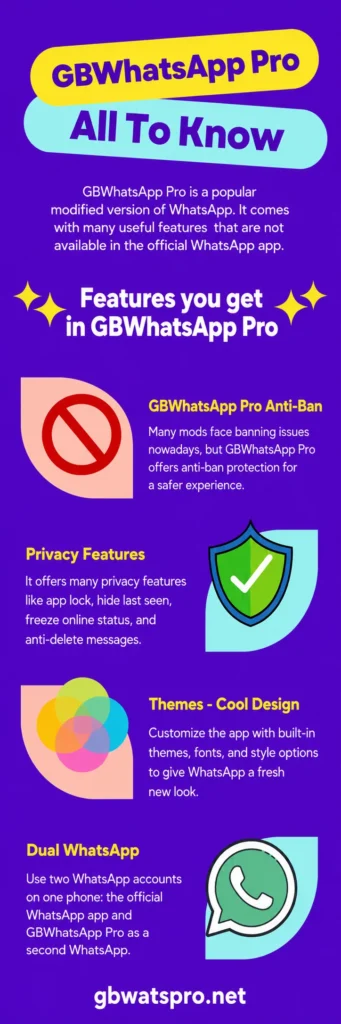
Ghost Mode combines several privacy settings that help reduce the visible signs of your activity. Depending on the installed version, it may hide your online status, typing indicator, recording status, blue ticks, second ticks, and status views. Although this feature can provide more privacy from contacts, it does not make your activity completely invisible because the application still connects to messaging servers.
Freeze Last Seen

Freeze Last Seen allows you to display an older last-seen time even while you continue using the application. Your contacts may see the frozen time instead of your current activity. In some versions, enabling this option may also affect your ability to view the latest activity information of other users.
Custom Themes

Custom Themes are among the most attractive GB WhatsApp Pro features because they allow you to change the complete appearance of the application. Depending on the installed version, you may customise chat backgrounds, header colours, message bubbles, fonts, app icons, notification icons, tick styles, and light or dark layouts. Themes downloaded from unknown sources may contain damaged files or unsafe code, so you should only use themes from a trusted source.
Multiple Accounts

Some versions use a separate package name and may be installed beside official WhatsApp. This can allow you to use two different phone numbers on the same Android device, such as one personal account and one business account. Each account still requires its own valid phone number and verification process, while compatibility depends on the exact package and Android version.
Anti-Delete Messages

The Anti-Delete Messages feature may keep a local copy of a message after the sender uses the “Delete for everyone” option. This allows you to continue reading content the sender intended to remove. However, the message may have been deleted because it was incorrect, private, or shared accidentally, so respecting the sender’s decision is often the more responsible choice.
Larger Media Sharing

Some GB WhatsApp Pro APK versions claim to support larger videos, documents, audio files, and image collections than official WhatsApp. The actual limit may depend on the installed build, file type, Android device, internet connection, recipient’s application, and server behaviour. A specific file-size limit should not be advertised unless it has been tested on the exact current version.
Hide Blue and Second Ticks
GB WhatsApp Pro Old Version may allow you to control when blue and second ticks appear. A second tick normally shows that a message has been delivered, while blue ticks usually confirm that it has been read. The modified application may delay or hide these indicators, giving you more control over read receipts. However, these settings should be used responsibly and not to mislead other people.
Anti-Delete Status
Anti-Delete Status may keep a previously loaded status visible even after its owner removes it. This feature can allow users to view deleted photographs, text, or videos. You should not download, repost, or share another person’s status content without permission, especially when it contains private or personal information.
Custom Fonts and Chat Styles
Some versions include additional fonts, text styles, chat bubbles, icons, and conversation layouts. These options allow you to personalise the application without changing the main font used by your Android device. Decorative fonts may look attractive, but they can make long messages difficult to read, so a clean and simple style is usually better for everyday communication.
Message Scheduler
The Message Scheduler allows you to write a message and choose a later time for it to be sent. It can be useful for birthday wishes, meeting reminders, business updates, and regular customer messages. A scheduled message may fail if the phone is switched off, the internet connection is unavailable, or Android prevents the application from running in the background.
Auto-Reply
Auto-Reply allows you to create a prepared response that is automatically sent when you are busy or unavailable. This feature can help small businesses, customer-support teams, and users who regularly receive similar questions. It should not be used for spam, unwanted advertising, or excessive bulk messaging because this behaviour may increase the risk of account restrictions.
DND Mode
DND Mode, sometimes called the built-in Airplane Mode, may stop GB WhatsApp Pro from accessing the internet while other applications remain connected. It can help you avoid messaging interruptions without disconnecting your entire phone. New messages normally arrive after DND Mode is turned off and the application reconnects.
Status Downloader
The built-in Status Downloader may allow you to save photographs and videos shared through your contacts’ status updates. This removes the need to install a separate downloading application. However, you should ask for permission before saving or sharing someone else’s content because the ability to download a status does not give you ownership of it.
High-Quality Image Sharing
The application may include options designed to reduce image compression and preserve more detail when photographs are sent. This can be useful for sharing product images, documents, artwork, and personal photographs. Higher-quality files may use more mobile data and storage, and the final quality can still depend on how the receiving application processes the image.
Send Messages Without Saving a Number
This feature allows you to start a conversation by entering a phone number without first adding it to your contact list. It can be useful for delivery updates, temporary enquiries, customer communication, and one-time business conversations. It should not be used to send unwanted promotional messages or contact people who have not agreed to receive communication.
How to Download GB WhatsApp Pro APK
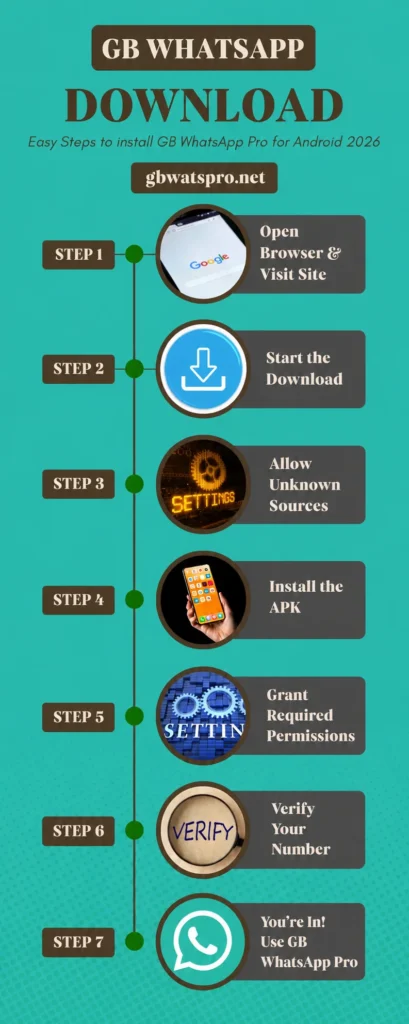
A GB WhatsApp Pro download normally involves obtaining an APK file from outside Google Play. An APK is the installation file used to install an Android application manually. Downloading an app from outside an authorised app store creates additional risk because the file may not have gone through the same review and distribution process as a Play Store application.
Before downloading the file, check the app name, version number, package name, developer, file size, Android requirement, update date, checksum, and security-scan information. You should also create a backup of important chats and media before making any change to your current messaging application. GBWatsPro.net should display all important APK details close to the download section so users can identify the exact file before installing it.
Avoid downloading an APK when:
A clean security scan may reduce uncertainty, but it does not prove that an application is completely safe. It only means the scanner did not identify a known threat at that time. GB WhatsApp Pro Download APK For iOS Version 2026
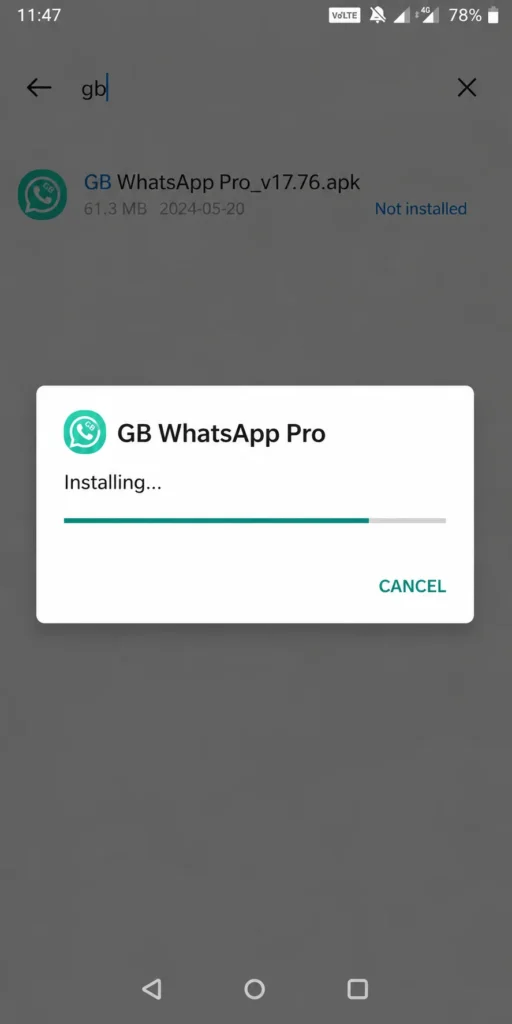
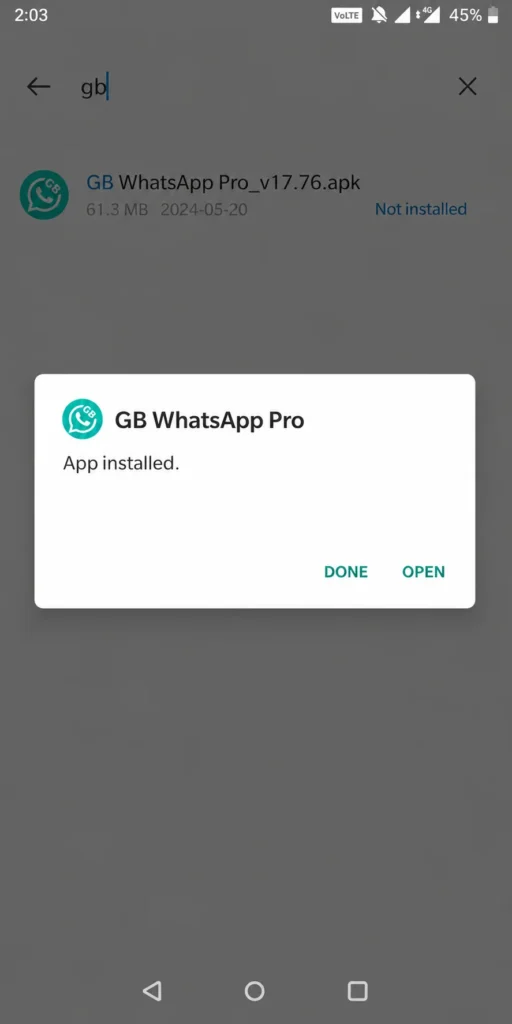
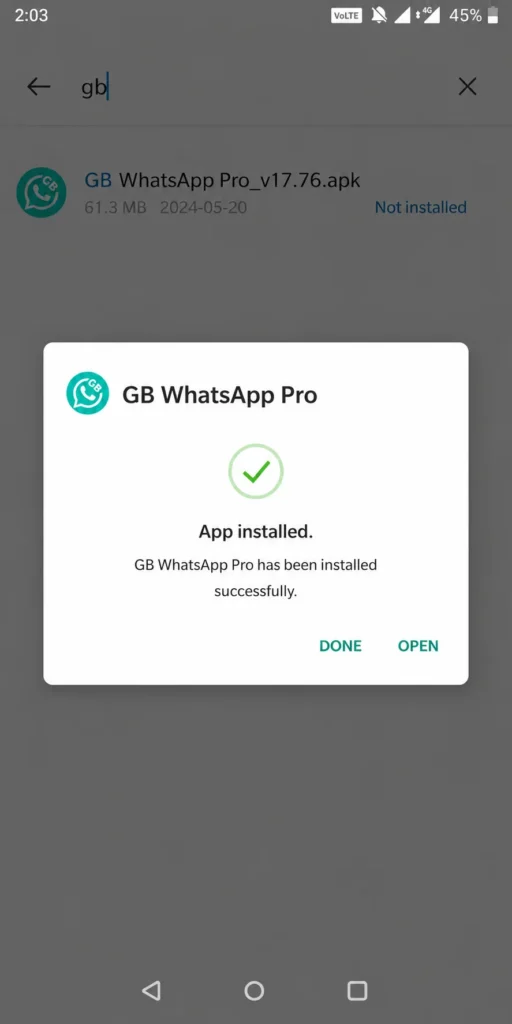
How to Install GB WhatsApp Pro on Android
The exact path may be different on Samsung, Xiaomi, Oppo, Vivo, OnePlus, Realme, Google Pixel, and other Android devices. Keep Google Play Protect enabled. It can scan installed applications and warn you when it identifies suspicious or harmful behaviour. Do not ignore a security warning simply because a download page claims the APK is safe.
How to Update GB WhatsApp Pro
An update may fail if the package name has changed, the signing certificate is different, the file is incomplete, the Android version is unsupported, or there is not enough available storage. A newer version number does not automatically guarantee better security. Always read the changelog and confirm that the update belongs to the same developer and package as your current installation.
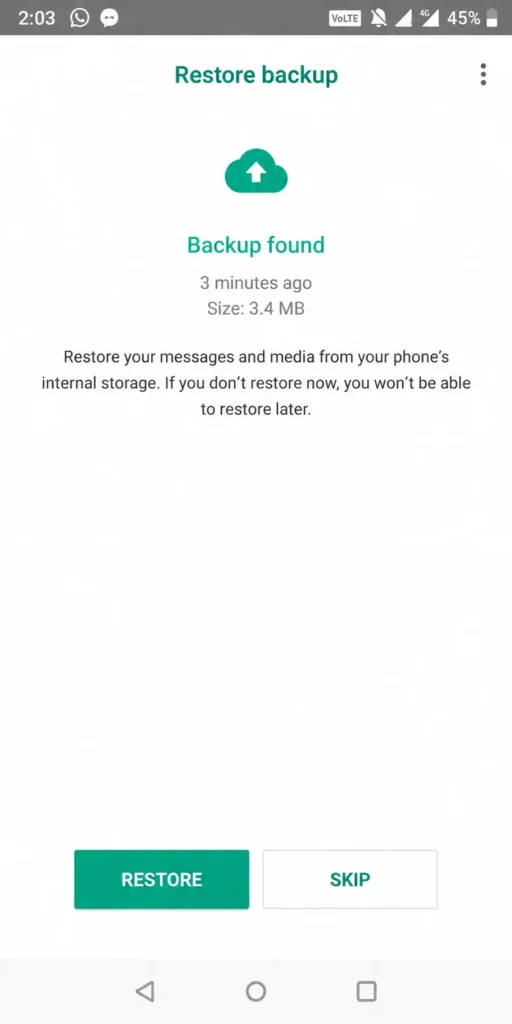
How to Back Up and Restore Chats
A backup protects your conversations before an update, reinstallation, or phone change.
Backup restoration may be less reliable in an unofficial application because different developers can use different package names, storage locations, or database formats.
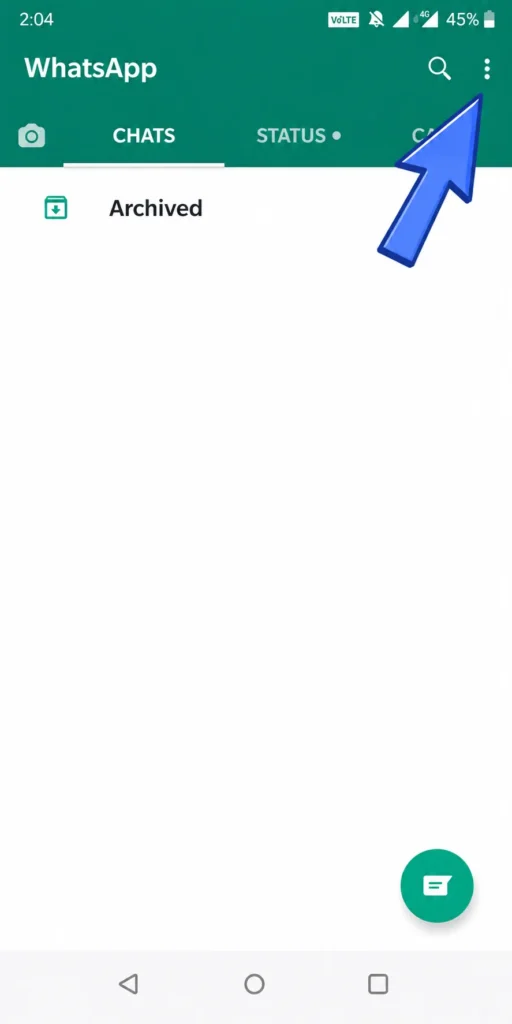
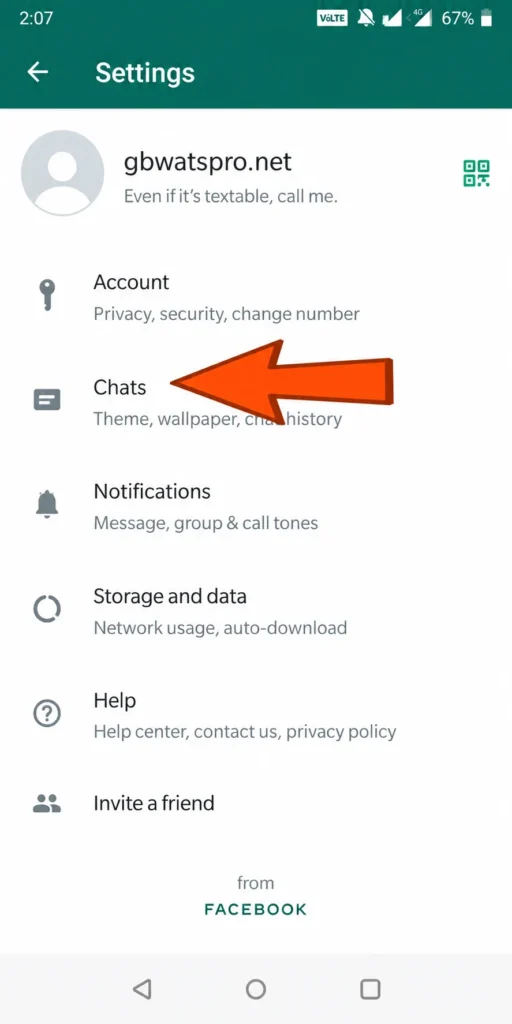
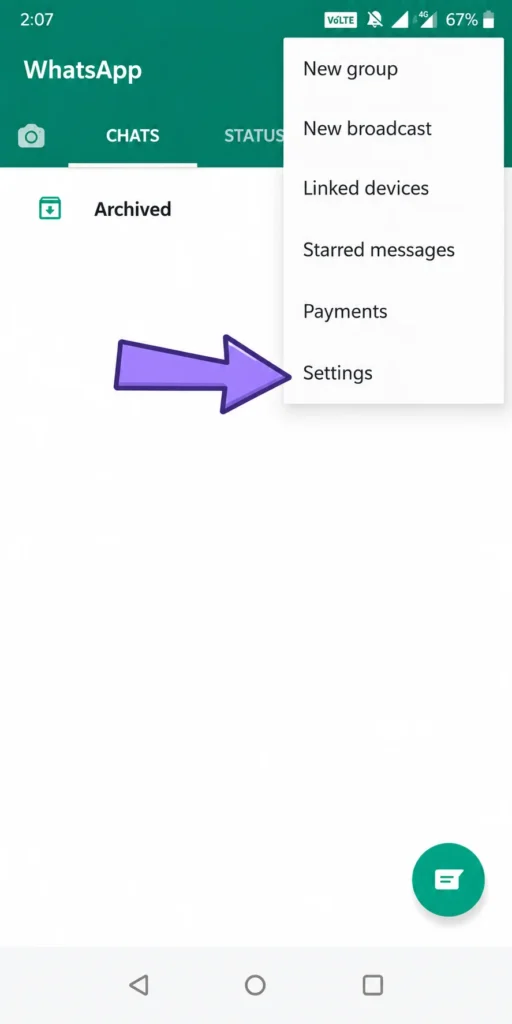
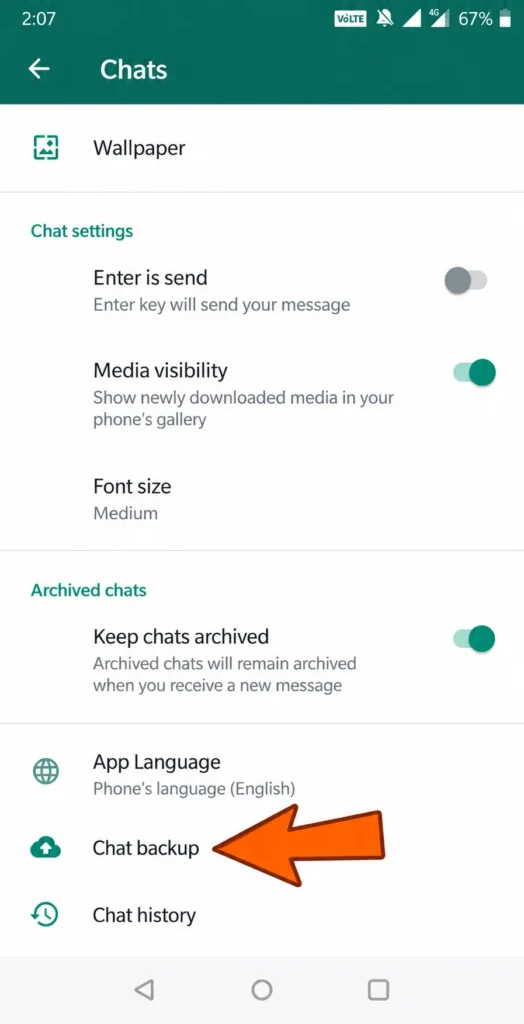
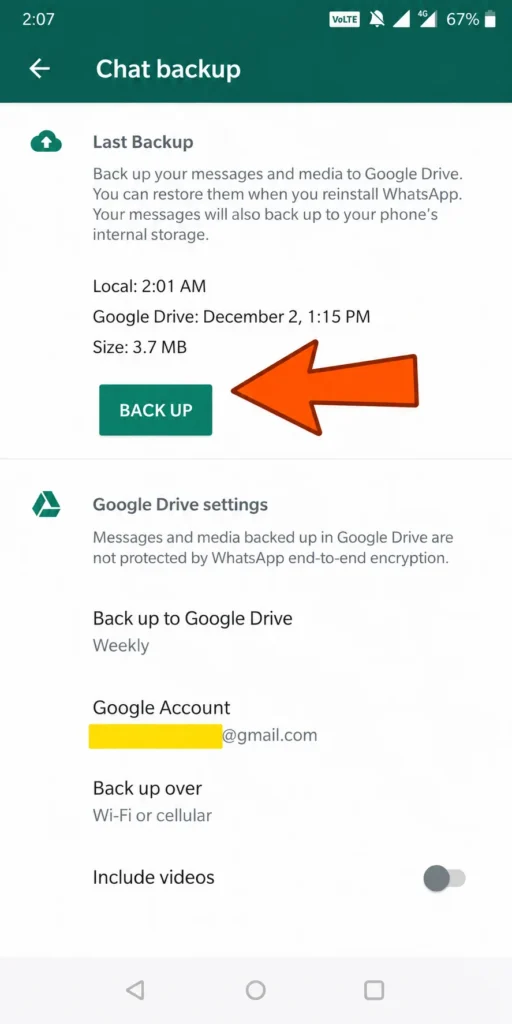
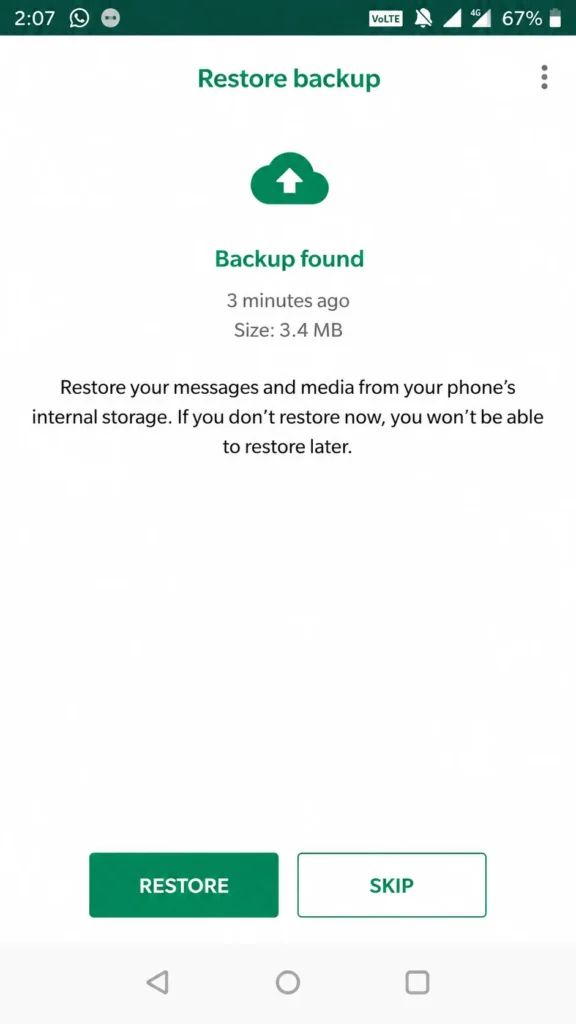
To create a local backup:
You should also copy important photographs, videos, documents, and voice messages manually. A chat database backup may not always contain every media file.
To restore a backup:
Restoration may fail because of an incorrect folder name, a damaged database, a different phone number, missing storage permission, or an incompatible version.
Do not assume that every official WhatsApp backup will restore directly into GB WhatsApp Pro. Google Drive support and local-backup locations may differ between builds.
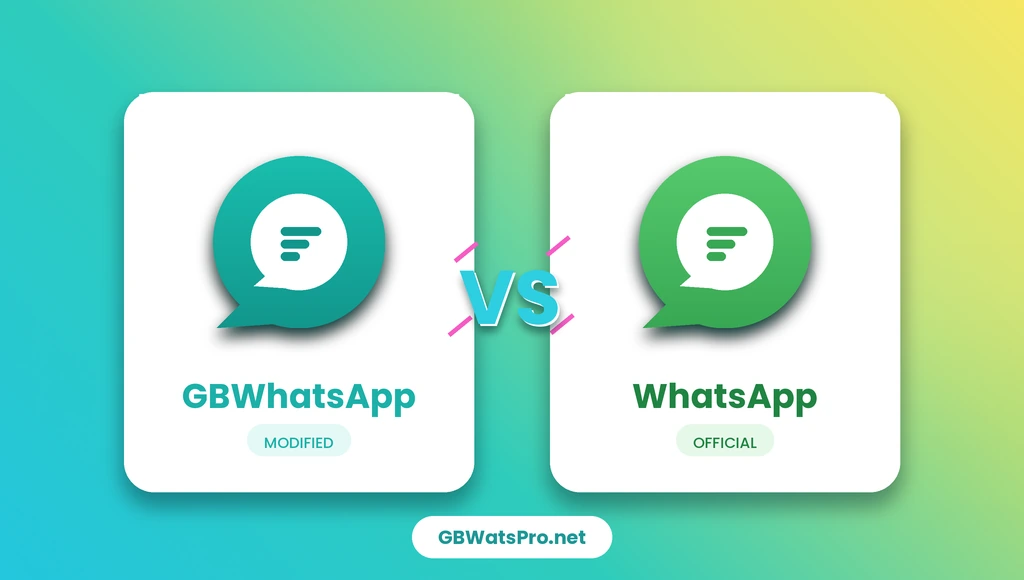
GB WhatsApp Pro vs Official WhatsApp
| Feature | GB WhatsApp Pro | Official WhatsApp |
|---|---|---|
| Developed and supported by Meta | ✗ | ✓ |
| Available on Google Play | ✗ | ✓ |
| Official security updates | ✗ | ✓ |
| Custom themes and fonts | ✓ | ✗ |
| Ghost Mode | ✓ | ✗ |
| Freeze Last Seen | ✓ | ✗ |
| Hide blue and second ticks separately | ✓ | ✗ |
| Anti-delete messages | ✓ | ✗ |
| Built-in status downloader | ✓ | ✗ |
| Message scheduling | ✓ | ✗ |
| Auto-reply tools | ✓ | Limited |
| Send messages without saving a number | ✓ | Limited |
| Advanced interface customisation | ✓ | ✗ |
| Verified official support | ✗ | ✓ |
| Reliable Play Store updates | ✗ | ✓ |
| Guaranteed protection from account restrictions | ✗ | ✗ |
| Lower risk when used according to official rules | ✗ | ✓ |
| Security independently managed by Meta | ✗ | ✓ |
Is GB WhatsApp Pro Safe?
No website or third-party developer can guarantee that every GB WhatsApp Pro APK is completely safe. The level of risk depends on the developer, distributor, source code, APK file, permissions, update method, and download source. Because it is an unofficial application, users should carefully consider its privacy and security risks before installing it.
Malware Risk
An unofficial APK can be modified before it reaches your device. A harmful file may contain spyware, aggressive advertising, hidden downloads, data-stealing code, or other unwanted software. Words such as “official,” “verified,” “secure,” or “100% safe” do not prove that a file is harmless. You should check the APK with a reputable security scanner, compare its checksum, and avoid installing it when your browser or phone displays a serious security warning.
Privacy Risk
GB WhatsApp Pro may request access to your contacts, camera, microphone, photographs, videos, files, notifications, and phone information. These permissions may be required for certain messaging functions, but they also provide the application with access to sensitive information. You should review each permission carefully and deny any access that does not appear necessary. Extra settings that hide your online status from contacts do not prove that the application itself handles your personal information safely.
Encryption Uncertainty
Some download websites claim that GB WhatsApp Pro provides the same end-to-end encryption as official WhatsApp. However, the complete security of a modified application cannot be confirmed simply because it connects to the same messaging service. A modified client may theoretically access information before it is encrypted or after it is decrypted on your device. Without an independent source-code review and professional security audit, users should not accept absolute encryption claims.
Account-Ban Risk
There is no version of GB WhatsApp Pro that can guarantee permanent protection from temporary or permanent account restrictions. Claims such as “100% anti-ban” are promotional statements rather than guarantees from WhatsApp. Using an unofficial client, sending spam, contacting users without permission, using excessive automation, scraping information, or sending bulk messages may increase the risk of account restrictions.
Safer Usage Practices
The safest option is to use official WhatsApp. However, people who still choose to test an unofficial application should avoid using their main personal or business number, create a backup before installation, keep Google Play Protect enabled, review every requested permission, scan the APK, avoid unknown theme files, and never store highly sensitive financial, personal, or identity information in the application. These precautions may reduce certain risks, but they cannot make an unofficial application completely safe.
GB WhatsApp Pro Username Feature Master the Art of Digital Identity
Advantages and Disadvantages of GB WhatsApp Pro
The application attracts users because it offers more privacy controls, appearance options, and messaging tools. However, those additional features come with important security, privacy, and account-related disadvantages.
Advantages of GB WhatsApp Pro
Disadvantages of GB WhatsApp Pro
Common GB WhatsApp Pro Problems and Solutions
App Not Installed
The “App Not Installed” error may appear when the APK is damaged, the file is incompatible with your Android version, there is not enough storage, or another installed application is using the same package name. Check the minimum Android requirement, free some storage space, confirm that the complete APK was downloaded, and make sure it does not conflict with an existing version. Do not continue when your phone displays a serious security warning.
Parse Error
A parse error normally means that Android cannot correctly read the APK file. The download may be incomplete, the package may be damaged, or the application may require a newer Android version. Check your Android version, download the file again from the same verified source, and confirm that the APK size matches the information shown on the download page.
Package Conflict
A package conflict occurs when two applications use the same package name but have been signed by different developers. This commonly happens when you try to install an update from a different distributor over your current version. Create a chat backup, identify the developer and package name of your installed build, and only use an update that is compatible with the same installation.
Verification Code Not Received
You may not receive a verification code when the country code is incorrect, the SIM card cannot receive messages, the mobile network is weak, or too many verification requests have been submitted. Check your number carefully, confirm that the SIM is active, improve your network connection, and wait before requesting another code. Never provide your verification code to a website, app developer, or another person.
Temporary Ban Message
A temporary ban may appear when WhatsApp detects the use of an unofficial client or activity that violates its rules. Back up any accessible conversations, stop using the modified application, and move to official WhatsApp. Avoid websites or APK files that promise to bypass the restriction because no third party can guarantee that your account will remain protected.
“You Need the Official WhatsApp” Warning
This warning means the messaging service or device security system does not recognise the installed client as an authorised WhatsApp application. The most reliable solution is to create a backup of accessible data, uninstall the unofficial application, download WhatsApp from an authorised app store, verify your number, and restore a compatible backup where possible.
App Keeps Crashing
GB WhatsApp Pro may crash because the installed build is outdated, incompatible with your Android version, damaged, or affected by a broken theme. Limited storage, battery restrictions, and conflicts with another package may also cause repeated crashes. Restart your phone, free storage space, return to the default theme, clear the application cache, and check whether a compatible update is available from the same developer.
Chats Are Not Restoring
Chat restoration may fail when the backup folder is in the wrong location, the phone number is different, storage permission is denied, or the new build uses another package name or database format. Confirm that you are using the same phone number, place the backup in the correct folder, allow the required storage access, and keep an untouched copy of the original backup before renaming or moving any files.
Notifications Are Not Working
Notifications may stop when Android blocks background activity, notification permission is disabled, battery optimisation closes the app, or Data Saver prevents internet access. Open your phone settings and allow notifications, background data, and necessary battery access for the application. Also check Do Not Disturb settings and restart the app after making changes.
Media Is Not Downloading
Photographs, videos, documents, or voice messages may fail to download because of an unstable internet connection, insufficient storage, missing media permissions, incorrect date and time settings, or restrictive download preferences. Check your connection, free some storage space, allow the required media access, correct the device time, and review the automatic media-download settings inside the application.
Themes Are Not Applying
A theme may not apply when it is damaged, incomplete, or incompatible with the installed GB WhatsApp Pro version. Return to the default theme, delete the problematic theme file, restart the application, and try a theme designed for your current build. Avoid installing theme packages from unknown websites because they may contain unsafe or poorly configured files.
GB WhatsApp Pro Two Step Verification Secure Your Account Like a Pro
Frequently Asked Questions
Final Verdict
GB WhatsApp Pro attracts users because it provides more control over privacy settings, visual design, scheduled messages, automatic replies, status downloads, and media sharing. These additional tools can make the application feel more flexible than official WhatsApp.
However, that flexibility comes with serious limitations. The application is unofficial, its versions are inconsistent, its security is difficult to verify, and no developer can guarantee permanent anti-ban protection. For most users, official WhatsApp remains the more dependable option because it offers authorised distribution, regular security updates, official support, and more predictable backup functionality.
Anyone considering an unofficial version should first protect their conversations, inspect the APK details, review the requested permissions, keep security protection enabled, and understand the possible privacy and account risks. GBWatsPro.net provides educational information about GB WhatsApp Pro features, installation, updates, safety, and troubleshooting. It is not affiliated with WhatsApp, Meta, or an official WhatsApp service.
Users are responsible for deciding whether an unofficial application is suitable for their device, account, and personal information.